

Program Garage Door Opener, Remote & Keypad
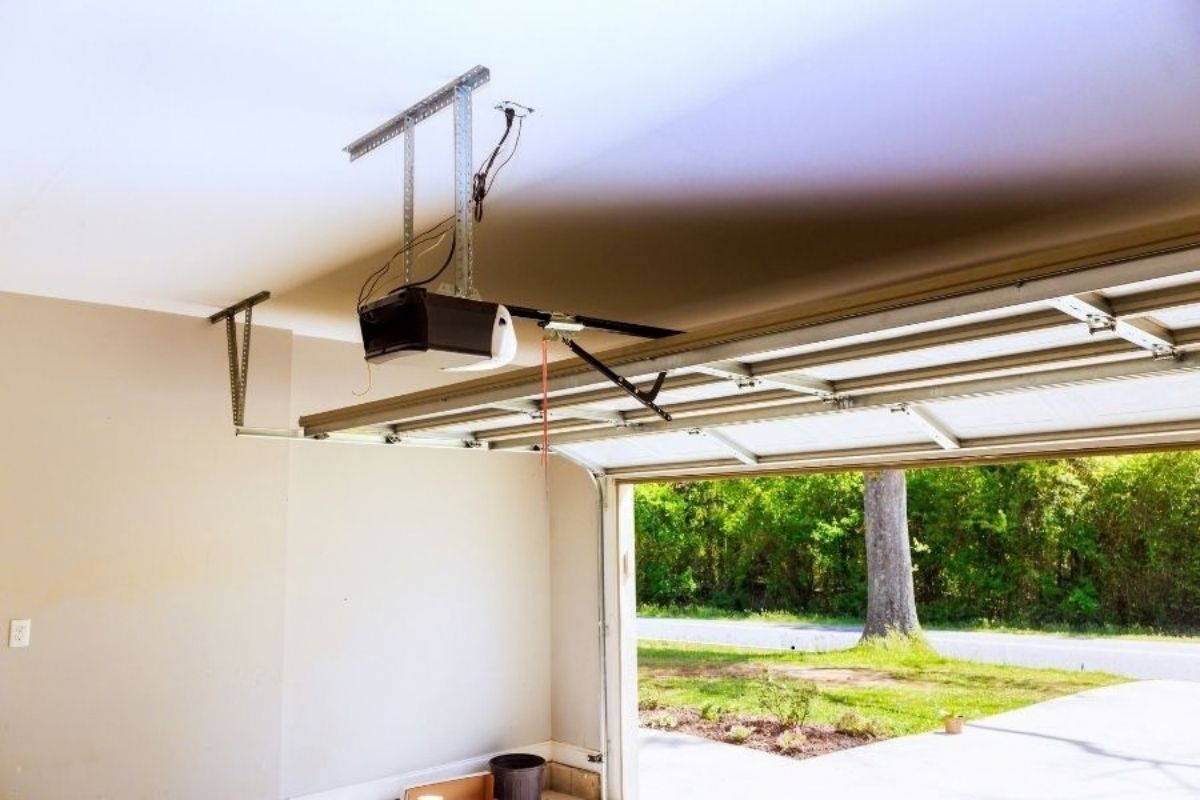
If you need to program garage door opener controls after buying a new remote, adding a keypad or connecting your vehicle, start by identifying exactly what you are trying to pair.
A handheld remote, wireless keypad and built-in car button do not always use the same programming process. The opener brand, model and remote compatibility can also change the required steps.
For many systems, programming involves locating a Learn or Program button and pairing the accessory while the opener is in programming mode. However, always check the instructions for your specific opener before pressing or holding buttons.
Key Takeaways
- Check the opener and remote model before starting because programming steps and compatibility vary.
- A Learn or Program button is commonly used to pair remotes and keypads, but its location and operation depend on the opener.
- Do not assume holding the Learn button is part of normal programming; on some openers, holding it can erase stored accessories.
- A fresh battery, correct compatibility and proper programming sequence should be checked before assuming the opener is faulty.
- Stop DIY troubleshooting if the issue appears to involve internal wiring, the motor unit or electronic components inside the opener.
Before You Program Garage Door Opener Controls, Identify Your Setup
Before climbing up to the opener or pressing any programming buttons, check three things:
1. What are you programming?
Determine whether you are adding or reconnecting:
- a handheld garage door remote;
- a wireless garage door keypad; or
- a built-in vehicle button such as HomeLink.
Each can require a different process.
2. What opener do you have?
Look for the manufacturer and model number on the garage door opener. The model information is usually on the motor unit, although its exact location varies.
3. Is the remote or keypad compatible?
A remote that looks similar to your existing remote is not automatically compatible. Manufacturers can use different frequencies, security systems and generations of remote controls.
For example, Chamberlain provides compatibility information based on opener and accessory models rather than treating every remote as interchangeable.
If you have the opener or accessory manual, use its model-specific programming instructions as your primary reference.
Where Is the Learn Button on a Garage Door Opener?
Many modern openers use a button labelled Learn, Program, Learn Code or Program Set to add accessories.
Its location is not universal.
On Chamberlain and LiftMaster systems, the Learn button may be on a side or rear panel of the motor unit and can be underneath a light cover. Other manufacturers use different locations and button names. Genie and Overhead Door models, for example, may use Program Set or Learn Code depending on the model and generation.
Before reaching a ceiling-mounted opener, place a stable ladder on a level surface. Keep people, pets and objects away from the garage door because the door may move during programming.
Important: do not remove the opener housing or touch internal wiring to find a programming button. The button intended for homeowner programming should be externally accessible according to the manufacturer’s instructions.
How to Program a Garage Door Remote
The exact sequence depends on the opener and remote, but a common programming process works like this:
- Confirm that the remote is compatible with your opener.
- Locate the correct Learn or Program button.
- Put the opener into accessory programming mode according to its manual.
- Activate the button on the remote that you want to use.
- Watch for the confirmation specified by the manufacturer, such as an opener light flashing, an indicator changing or an audible click.
- Test the remote from a safe position after programming is complete.
For example, compatible Chamberlain and LiftMaster systems commonly use a press and immediate release of the Learn button followed by activation of the desired remote button within the available programming period.
That does not mean the same timing or sequence applies to every opener.
Do Not Hold the Learn Button Unless the Manual Tells You To
This is one of the easiest mistakes to make when trying to program garage door opener controls.
Programming and erasing stored devices can use the same button differently.
On Chamberlain systems documented by the manufacturer, pressing and releasing the Learn button is used for accessory programming, while holding it for several seconds can clear programmed remote controls and keyless-entry devices from memory.
If you only want to add a remote, do not assume that holding the button longer will make programming work better.
How to Program a Garage Door Keypad
Garage door keypad programming normally involves two parts: setting a PIN on the keypad and pairing that keypad with the opener.
A general process is:
- Confirm that the wireless keypad is compatible with the opener.
- Follow the keypad instructions to create or select your PIN.
- Put the garage door opener into the correct programming mode.
- Enter the required PIN or programming sequence on the keypad.
- Complete the pairing step specified by the manufacturer.
- Test the keypad with the garage door area clear.
Do not copy remote-programming instructions directly to a keypad. Even products from the same manufacturer can use different keypad sequences.
For example, Chamberlain’s 940EV keypad requires a model-specific PIN and button sequence before the Learn button on the opener is used to complete pairing.
If your keypad previously worked but suddenly stopped responding, check its battery before repeatedly reprogramming it.
How to Sync a Garage Door Remote With a Car Button
If your vehicle has built-in garage door controls such as HomeLink, treat this as a separate programming process.
HomeLink is built into many vehicle models and can communicate with compatible radio-frequency garage door systems. It supports both standard and rolling-code systems.
The exact setup can vary by:
- vehicle manufacturer;
- vehicle model;
- model year;
- HomeLink version;
- garage door opener brand; and
- whether the opener uses a rolling code.
HomeLink therefore provides vehicle-specific programming rather than one sequence for every car. Its programming tool also specifically asks whether the user is in Canada.
For Calgary homeowners, the safest approach is to identify your vehicle and opener through the HomeLink instructions and follow the applicable procedure. Do not assume instructions for another vehicle model will work exactly the same way on yours.
Why Is My Garage Door Remote Not Programming?
A failed programming attempt does not automatically mean the garage door opener needs repair.
Work through the simpler possibilities first.
| Programming Issue | Possible Reason | What to Check |
|---|---|---|
| Remote does nothing | Weak/dead battery or incompatible remote | Replace/check battery and verify compatibility |
| Opener does not enter programming mode | Wrong button or incorrect sequence | Check the opener model and manual |
| Remote pairs but has poor range | Battery or radio interference | Test with a fresh battery and from a closer position |
| Keypad does not pair | Incorrect keypad procedure or compatibility issue | Use instructions for the exact keypad model |
| Car button will not pair | Vehicle-specific or rolling-code procedure required | Check the HomeLink instructions for your vehicle and opener |
| Programming repeatedly fails | Accessory or opener may have a fault | Stop repeating resets and troubleshoot the system |
Chamberlain’s current troubleshooting guidance specifically recommends checking remote compatibility, battery installation and the programming procedure when a remote will not pair. It also identifies some LED light bulbs as a possible source of poor range or radio interference.
Check the Remote Battery First
If a garage door remote was working and then became intermittent or stopped responding, start with the battery.
A weak battery can cause unreliable operation or reduced range. Replacing or correctly reinstalling the battery is a much simpler test than resetting the entire opener.
If one remote works normally while another does not, that also gives you useful information: the problem may be with the individual remote rather than the opener itself.
Confirm Garage Door Opener Compatibility
Not every replacement remote works with every opener.
Compatibility can depend on the manufacturer, opener generation and communication technology. Some manufacturer systems even identify compatible accessories using the colour or type of Learn button.
Before repeatedly attempting garage door remote programming, compare the opener model with the remote manufacturer’s compatibility information.
Check for Range or Signal Interference
If the remote works close to the garage but not from its normal operating distance, programming may not be the real problem.
Check the remote battery first. If the problem remains, radio interference may be affecting the signal. Chamberlain specifically includes LED light-bulb interference among the items to investigate when a compatible remote has poor range.
This is more useful than repeatedly deleting and reprogramming the remote when it is already paired successfully.
Should You Reset a Garage Door Opener?
A garage door opener reset is different from simply programming another remote.
If your goal is only to add a new compatible remote, clearing the opener’s stored accessories may be unnecessary.
A memory reset can be appropriate when you intentionally need to remove previously programmed devices. However, the exact reset procedure and what gets erased depend on the opener.
For example, Chamberlain documents separate actions for programming accessories and clearing stored remote/keypad memory.
Check the manual for your specific model before attempting a reset. Be prepared to reprogram any authorised remotes or keypads that the reset removes.
When Does a Programming Problem Point to the Opener?
If a compatible remote with a good battery will not program, do not immediately assume the logic board or receiver has failed.
First confirm:
- you have the correct opener and remote models;
- the accessory is compatible;
- you are using the correct programming button;
- the opener has power;
- you followed the model-specific programming sequence;
- another existing remote or wall control has been tested, where available; and
- the problem is not simply limited range or interference.
If several controls stop responding, the opener does not react as its manual says it should, or normal programming and basic external checks do not solve the problem, further diagnosis may be needed.
That is the point where garage door opener troubleshooting moves beyond simply syncing a remote.
Do not open the motor housing, probe electrical components or attempt to repair internal wiring yourself.
When to Stop DIY Programming
Programming a compatible remote or keypad is often a reasonable homeowner task. Internal opener diagnosis is different.
Stop and arrange professional garage door opener service if:
- the opener has no normal response despite having power;
- multiple known-working controls suddenly stop operating it;
- programming repeatedly fails after compatibility and model-specific instructions have been confirmed;
- there are signs of damage to the opener or its electrical components;
- the problem appears to be inside the motor unit; or
- safely reaching the required programming control is difficult.
If the opener itself needs diagnosis, Active Overhead Doors’ garage door opener repair in Calgary service is the more appropriate next step.
If an older opener or incompatible system makes replacement the practical option, review the available garage door opener sales and installation options instead of continuing to buy replacement remotes without confirming compatibility.
Frequently Asked Questions
How do I program garage door opener controls?
First identify whether you are programming a remote, keypad or built-in vehicle control. Then identify the opener model and follow its manufacturer-specific programming instructions. Many systems use a Learn or Program button, but the sequence and timing are not universal.
How do I program a garage door remote?
Confirm that the remote is compatible, locate the opener’s programming control and follow the instructions for that specific opener and remote combination. On some systems, programming involves pressing and releasing the Learn button and then activating the desired remote button within a limited period.
Does every garage door remote work with every opener?
No. Compatibility can depend on the opener manufacturer, model, generation and communication system. Check the remote manufacturer’s compatibility information before buying or programming a replacement remote.
Why is my garage door opener not responding to the remote?
Possible causes include a weak remote battery, an incompatible or unprogrammed remote, range/interference issues or a problem elsewhere in the opener system. Check the simple remote-related causes before assuming the opener needs repair.
Can I program a garage door keypad the same way as a remote?
Not necessarily. Wireless keypads can require their own PIN setup and pairing sequence. Use the instructions for the exact keypad and opener models rather than treating a keypad as a handheld remote.
Can I sync my car button to my garage door opener?
Compatible vehicle systems such as HomeLink can be programmed to operate many garage door openers. The procedure varies by vehicle and opener, particularly with rolling-code systems, so use the HomeLink instructions for your specific vehicle and opener.
Should I reset the opener if a new remote will not program?
Not as the first step. Check the remote battery, compatibility and correct programming procedure first. Resetting or clearing opener memory may remove existing programmed accessories and create additional work.